How to Automate Recurring Contracts and Billing in Invent ERP
Learn how to create customer contracts that automatically generate draft invoices based on monthly, quarterly, or annual billing cycles.
Step-by-Step Process
Customer Contract
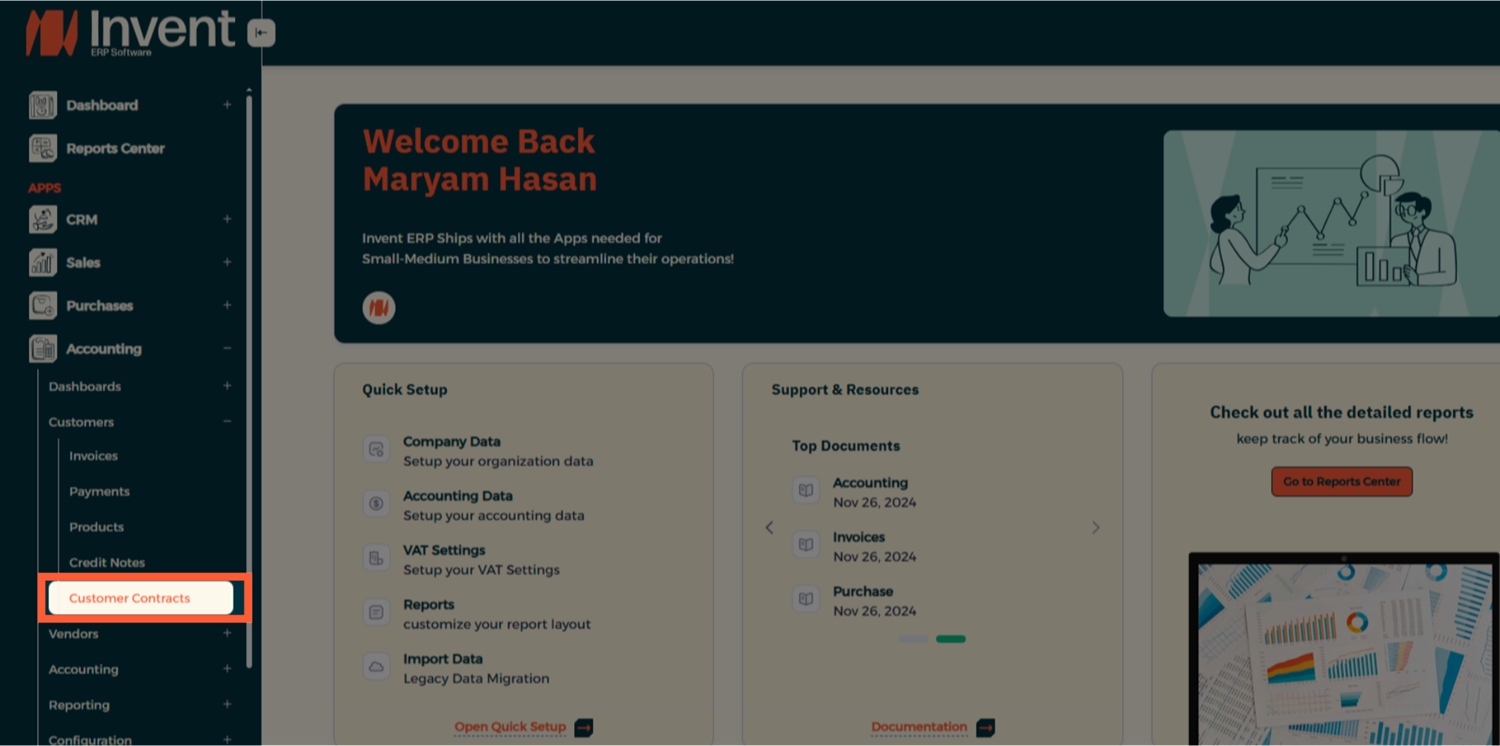
Step 1: Access Customer Contracts
From the Main Menu, navigate to Accounting → Customers → Customer Contracts.
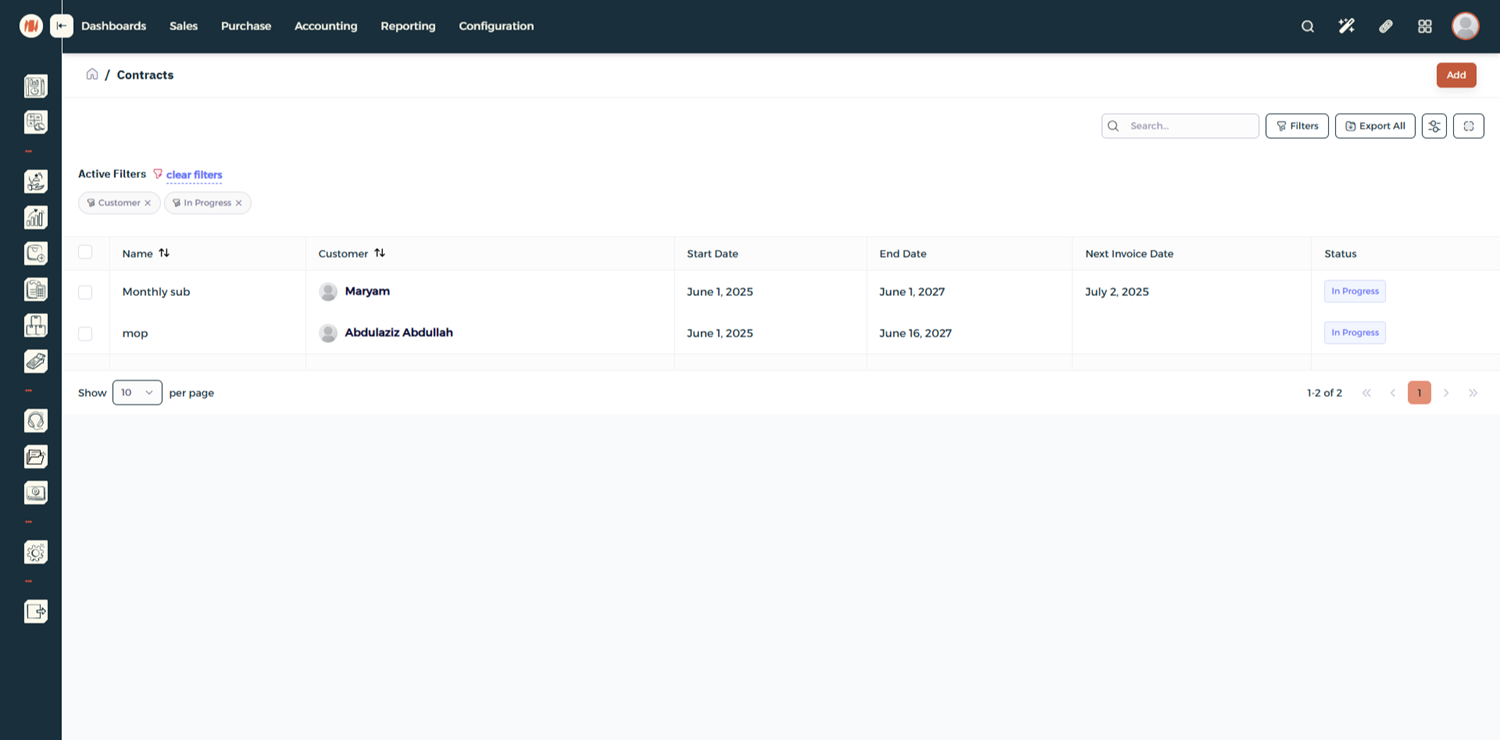
Step 2: Add a New Contract
Click Add to create a new contract.
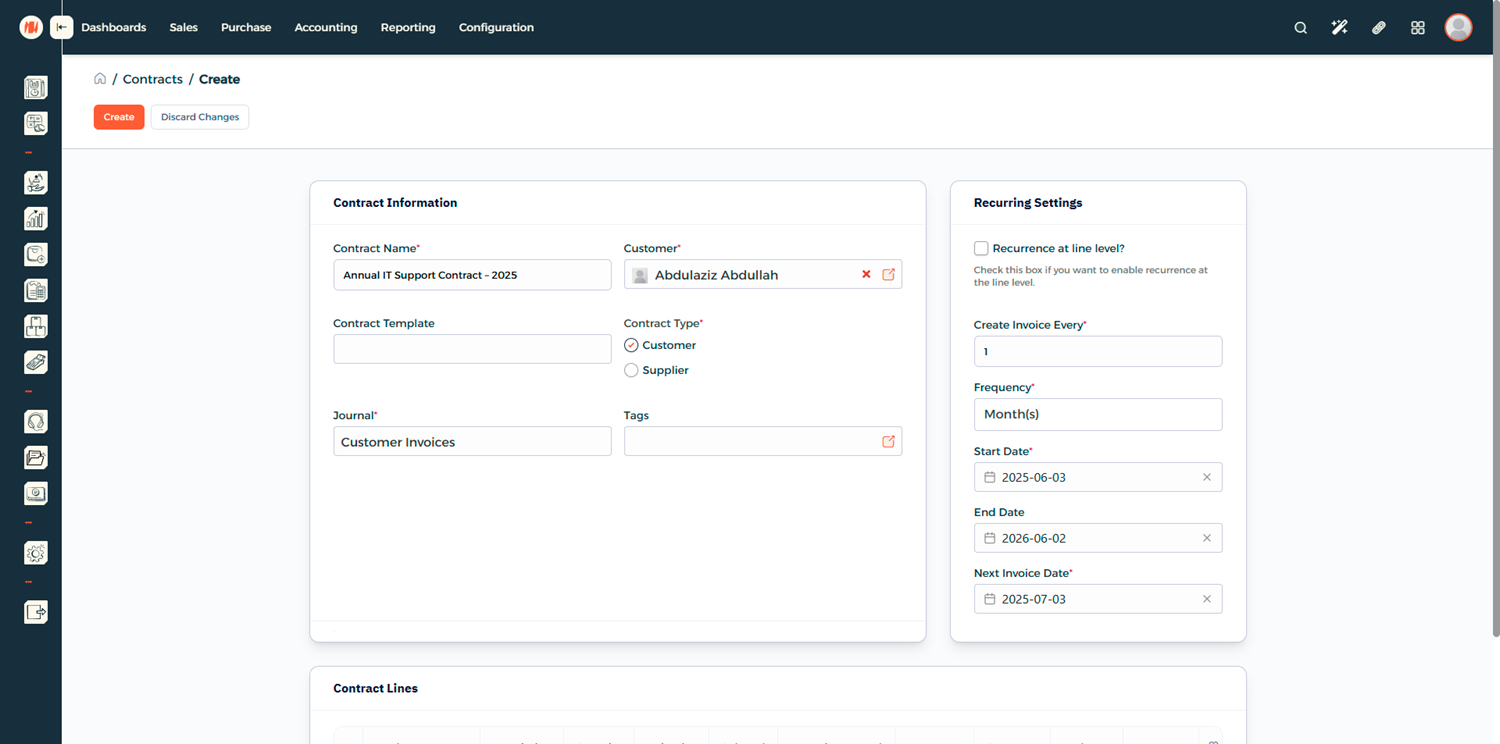
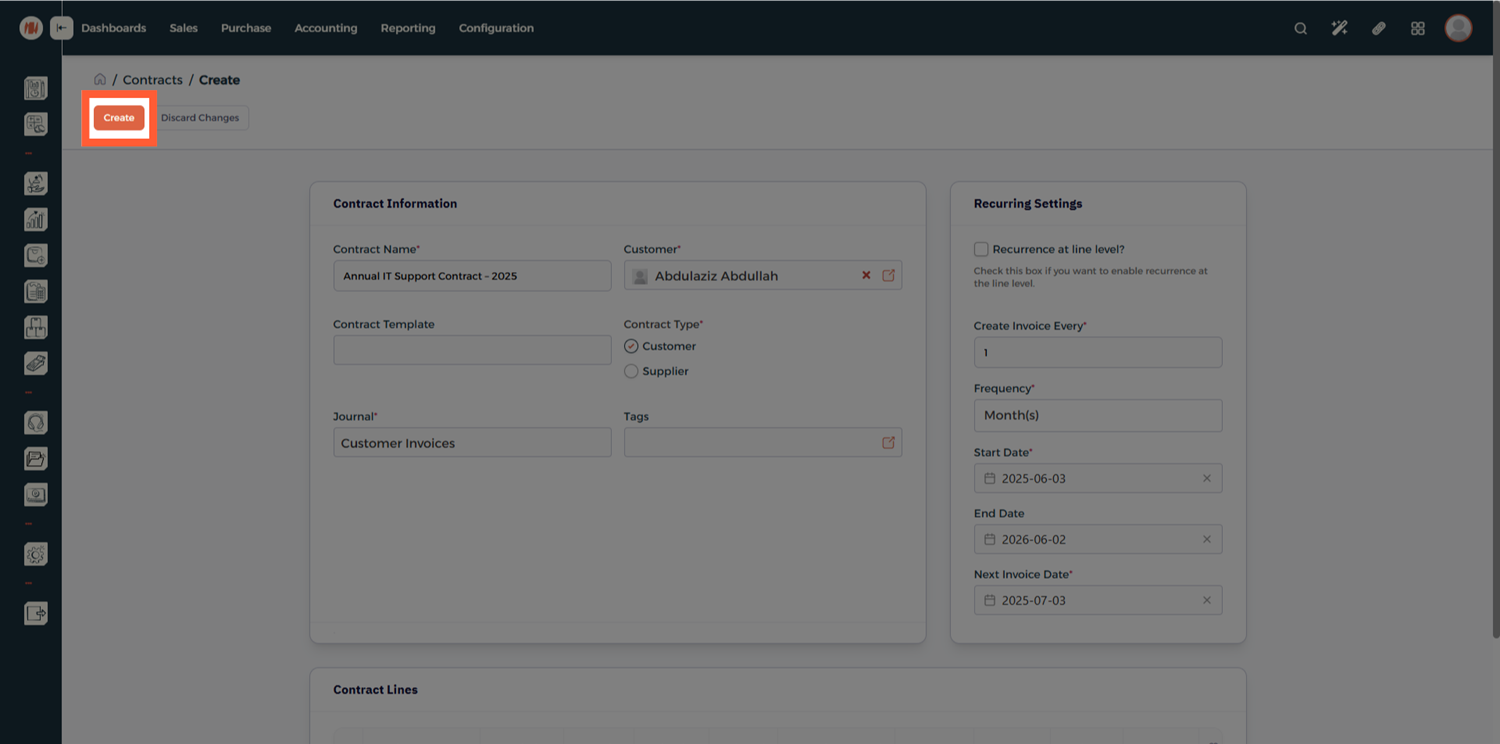
Step 3: Enter Contract Information
Fill in the main contract details:
- Contract Name — Give the contract a clear name or code.
- Customer or Vendor — Link the contract to an existing partner.
- Start and End Dates — Define the period this contract covers.
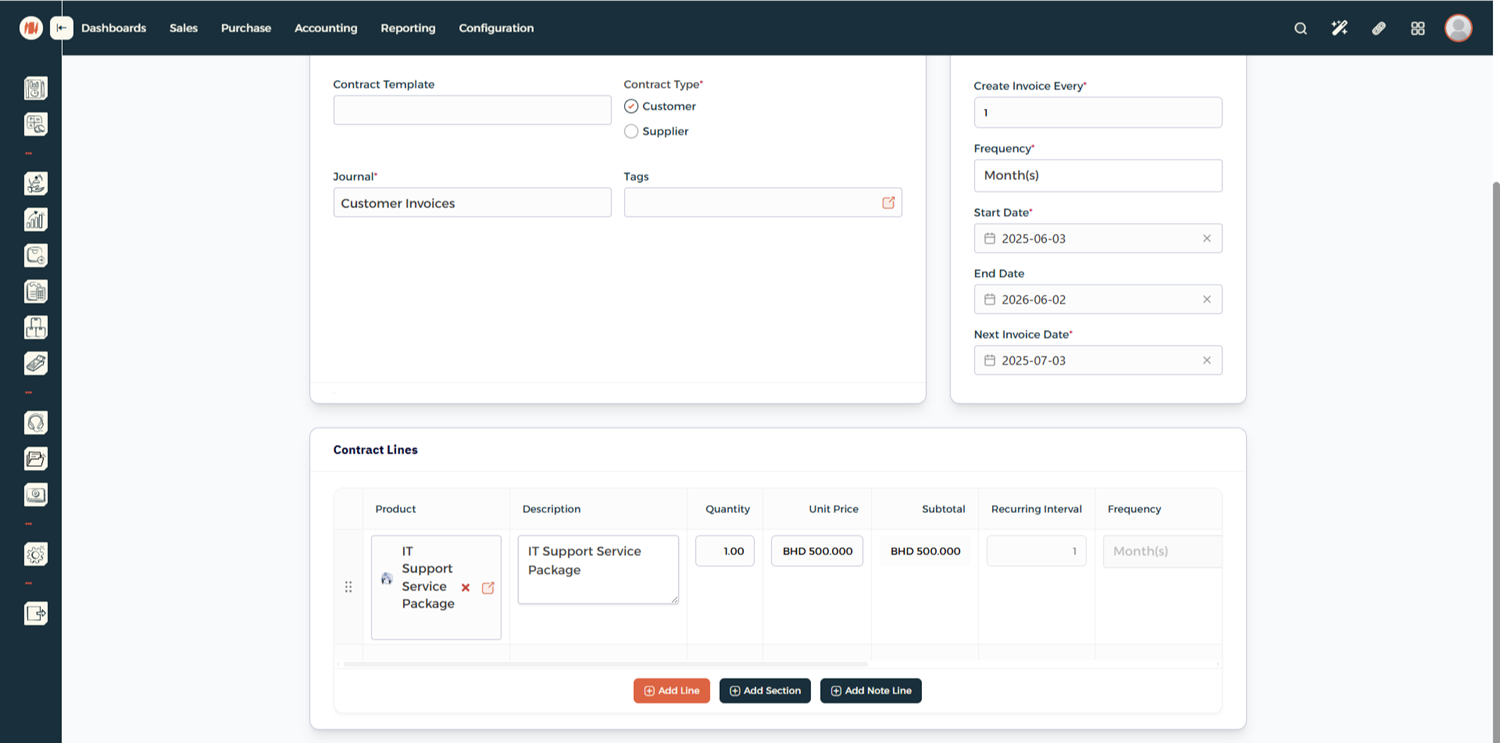
Step 4: Add Contract Lines
Scroll down to the Contract Lines section and add:
- Products or services
- Pricing and quantities
- Any applicable billing rules
Step 5: Save the Contract
Once everything looks correct, click Create to save the contract.
Step 6: Generate Invoices (Optional)
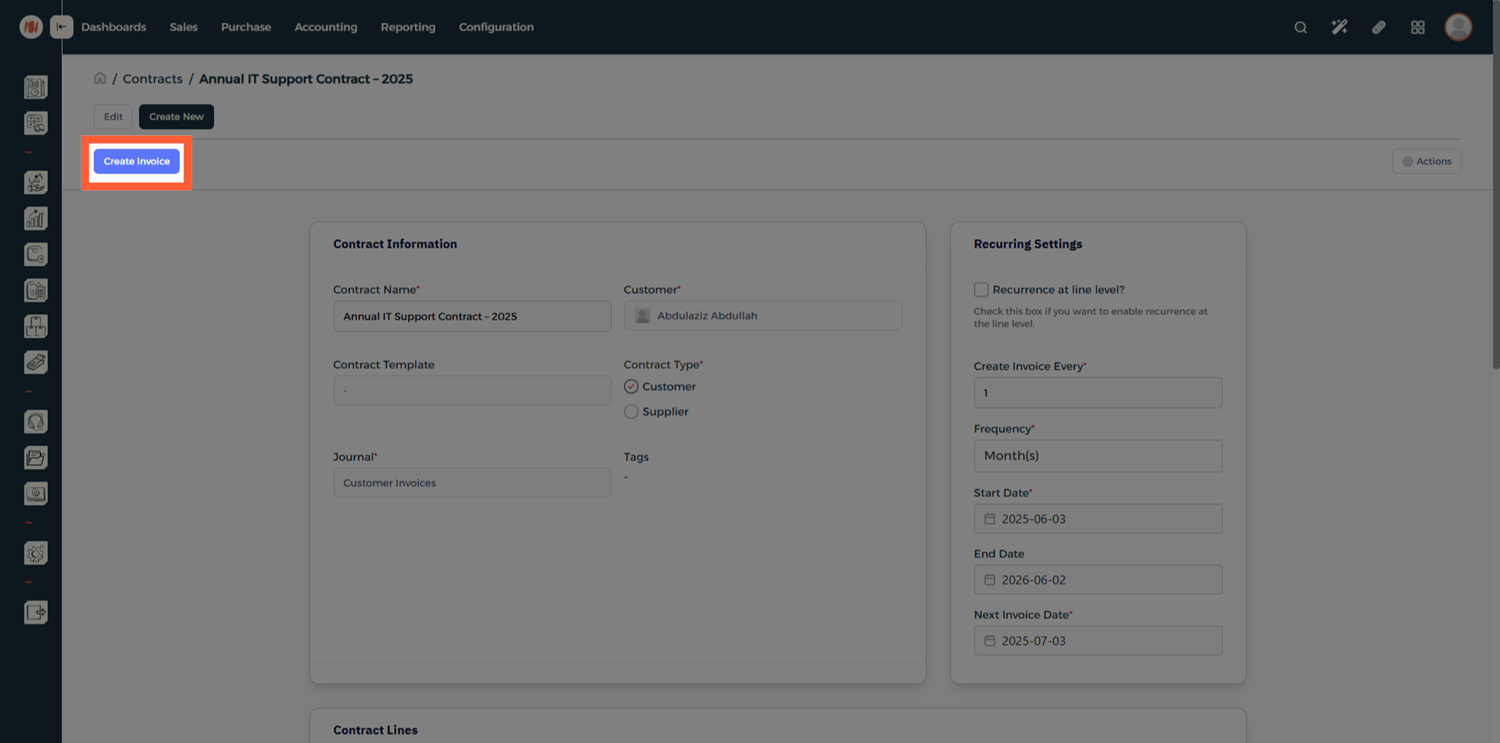
After saving, you can generate an invoice immediately, or keep the contract saved for future billing.
Creating a Contract Template
Step 1: Open Contract Templates
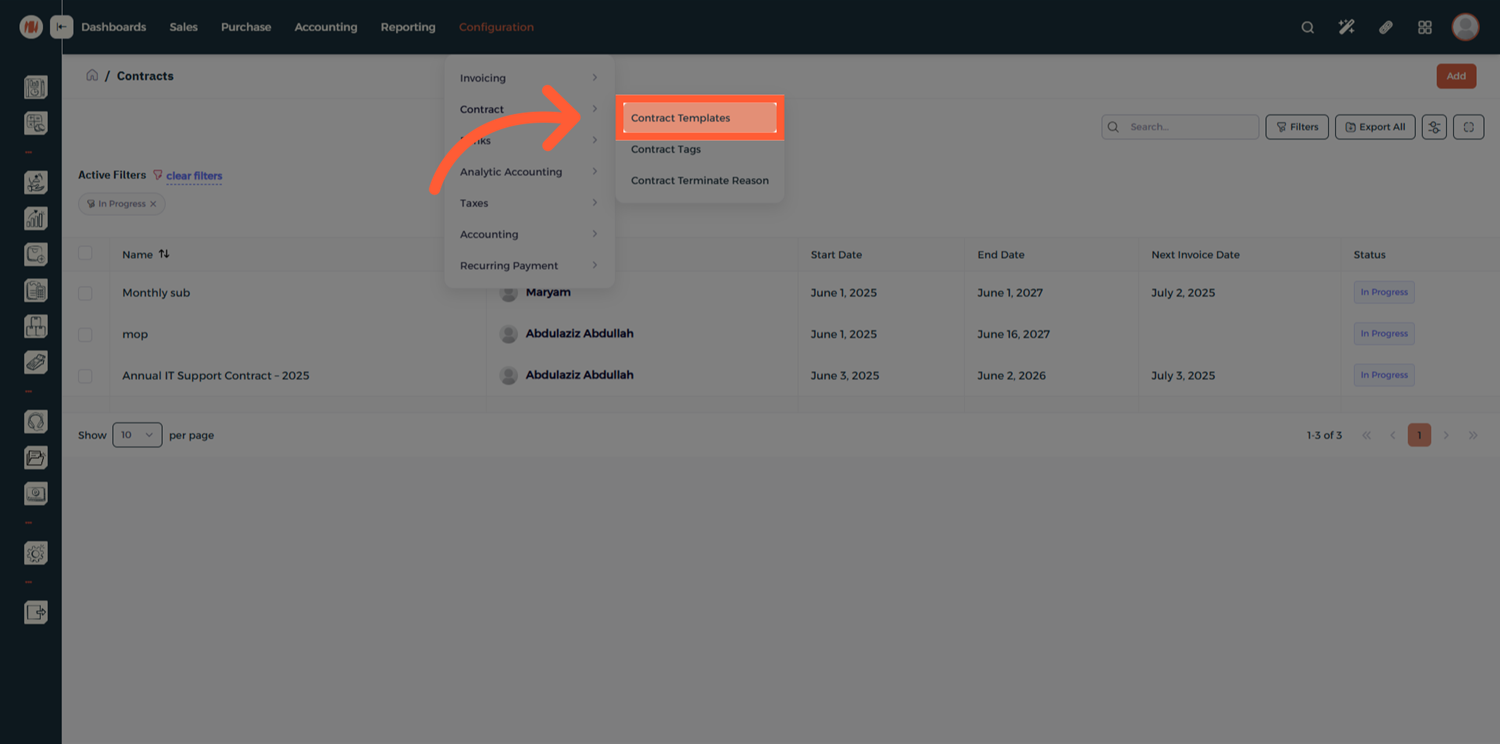
From the Configuration menu, head to Contract → Contract Templates.
Step 2: Add a New Template
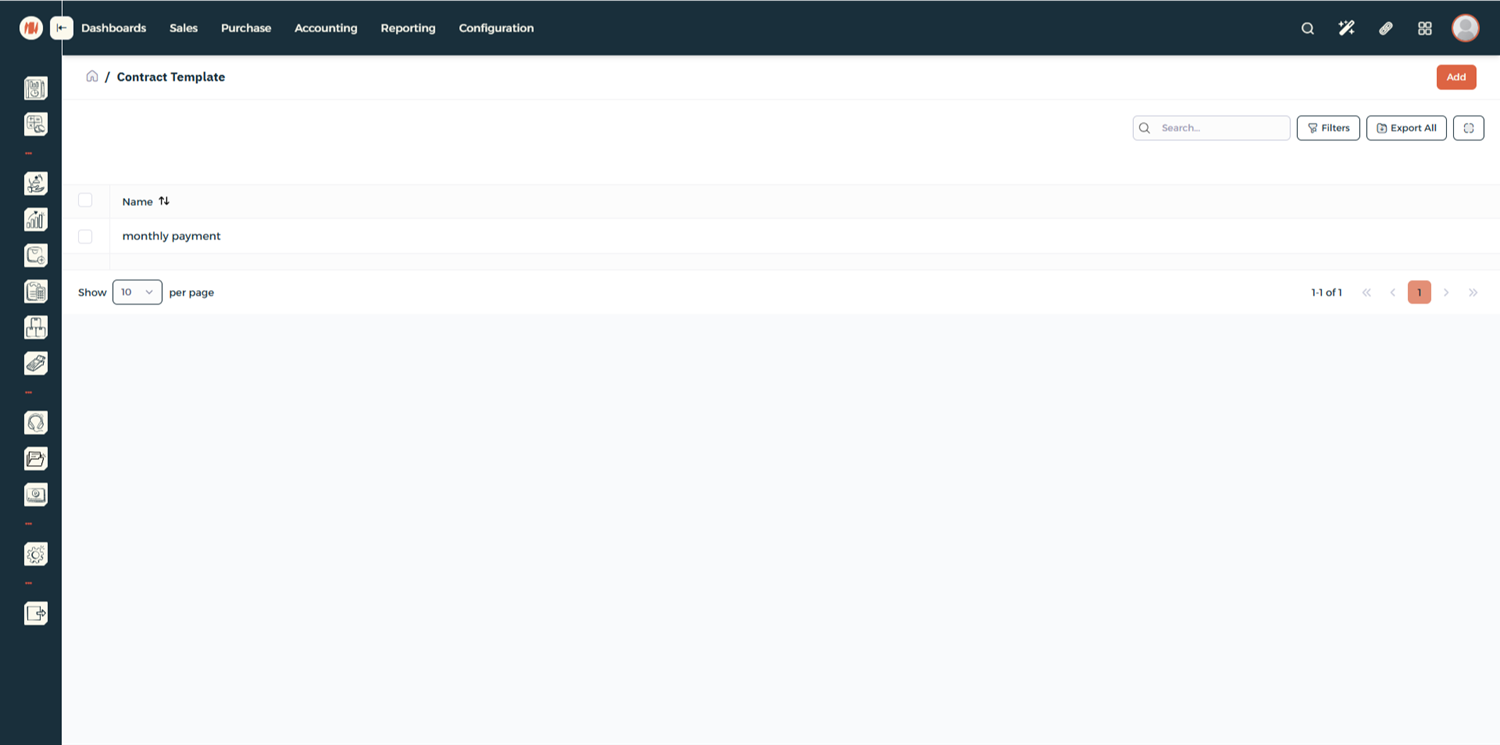
Click Add to create a new template.
Step 3: Define Template Details
Fill in the template information just like a regular contract.
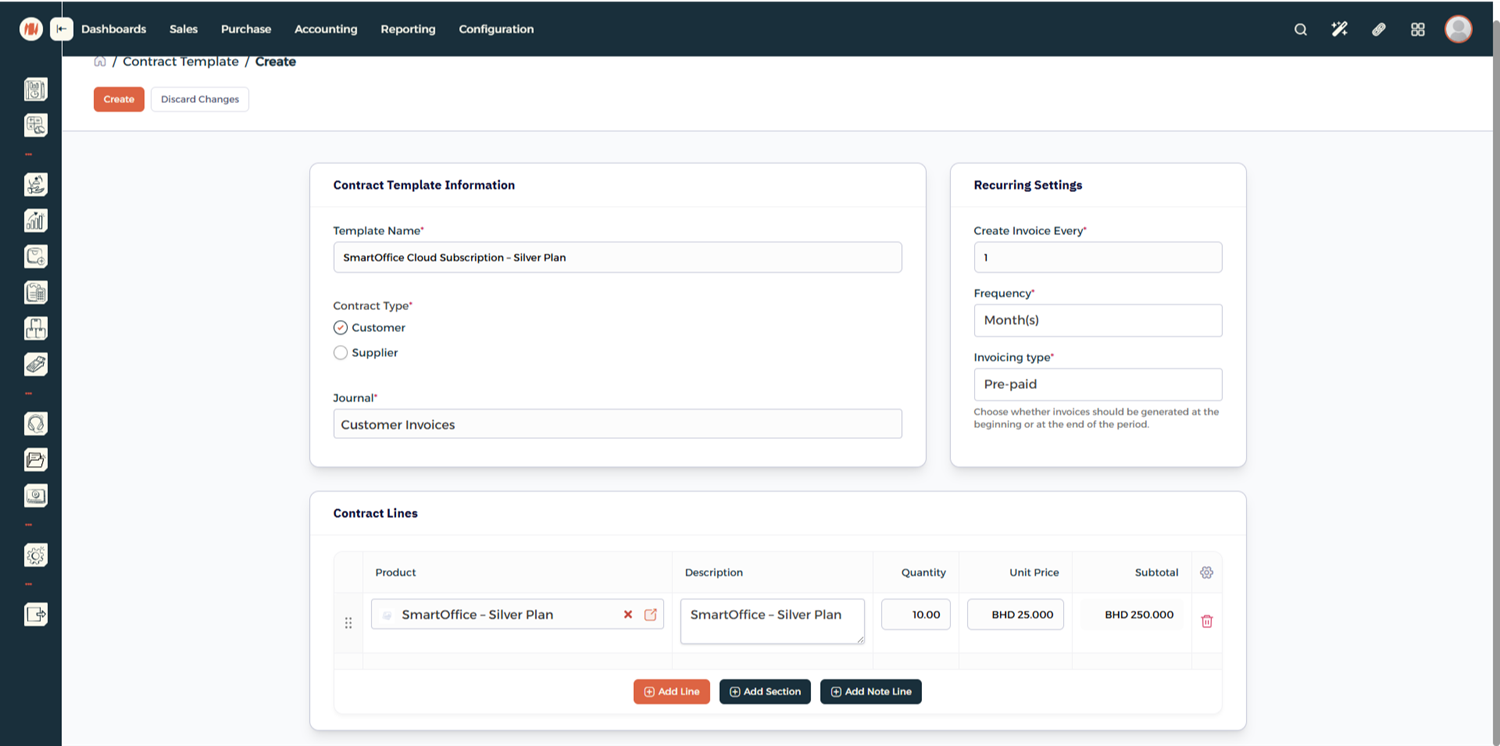
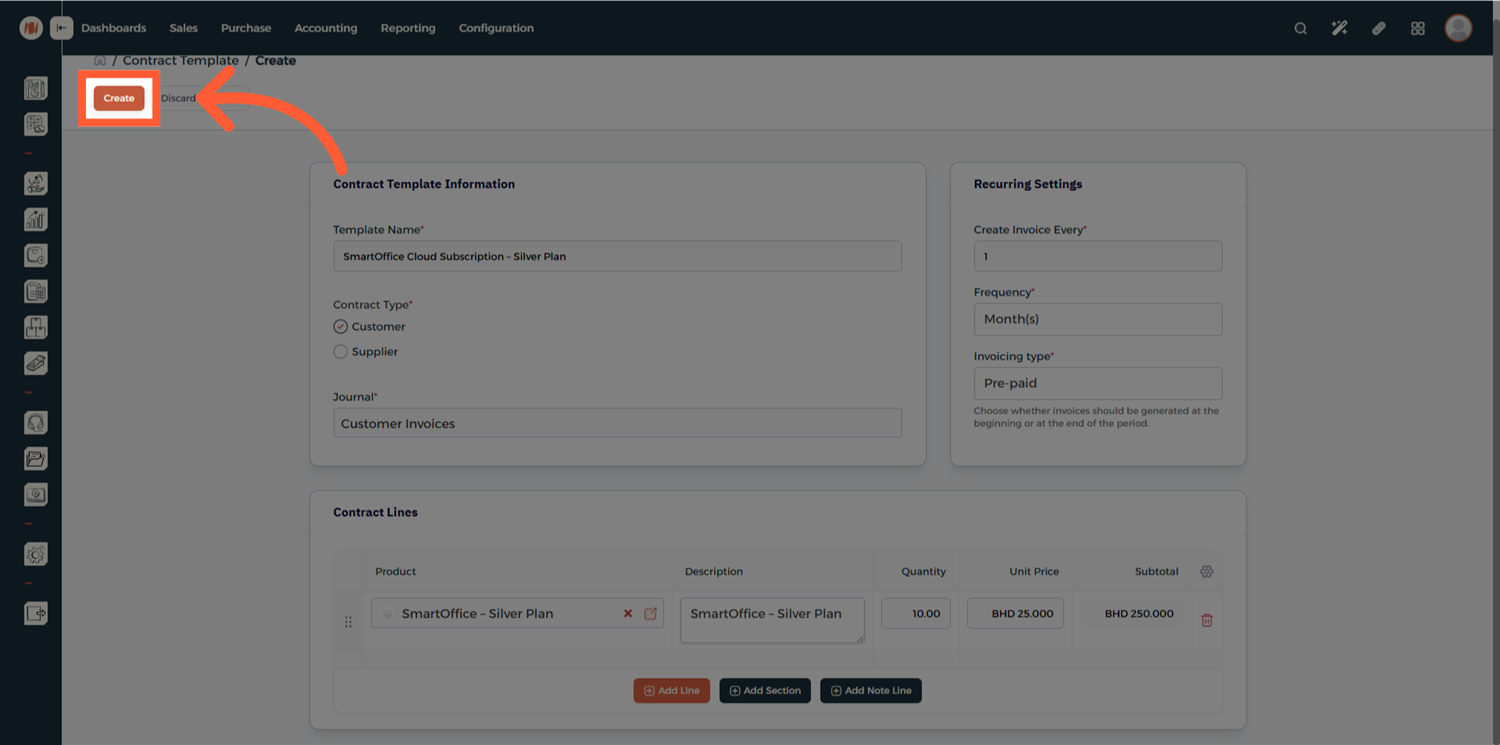
Step 4: Create the Template
Click Create to save the template.
Notes & Tips
- Contract templates are ideal for recurring services or standardized agreements.
- You can still customize individual contracts even when using a template.
- Keep all communication and attachments inside the contract record.
FAQ
Q: Can I create a contract without a template? Yes. Templates are optional and mainly used to speed up contract creation.
Q: Can I generate invoices later instead of immediately? Yes. Contracts can be saved and invoiced at any time.
Q: Can I edit a contract after creating it? Yes, contracts can be updated as long as they comply with your accounting rules.
Q: What is the benefit of using contract templates? Templates save time, reduce errors, and ensure consistency across multiple contracts.